Task guide
Production stopped because the Warehouse is full
If a production building is paused for lack of Warehouse room, make space in that Warehouse. The Demo 0.4.8 fix says production then resumes automatically; no restart step is described. A market sale only helps if the sold stock actually comes from the Warehouse.
Updated 2026-10-29 · Demo 0.4.8
Free Warehouse space
Confirm this is the storage case: the production building is paused for lack of room, and the Warehouse is marked red. In the Warehouse screen, read the CAPACITY bar and the goods under TRADE GOODS. The example screenshot below shows where the counter sits, but its 41/50 state is not full.
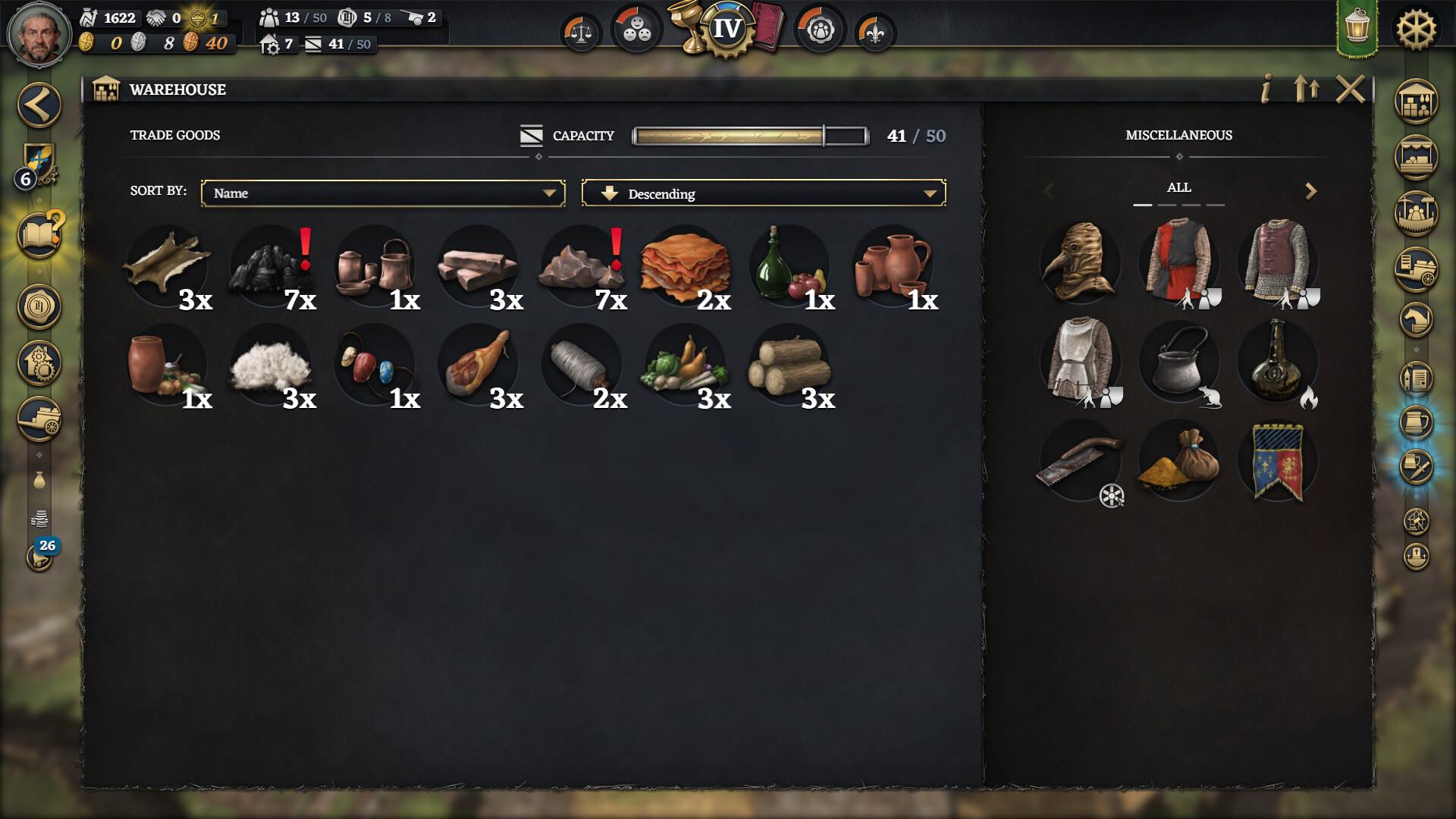
Identify the Warehouse capacity bar above Trade Goods. Official store screenshot, build unknown; 41/50 is not full and the red warning is not shown. View full size ↗ Free room in that Warehouse. One path is to sell a good shown under its TRADE GOODS: in Local Markets, open that good’s sell window, choose an amount, read the total quote, then Sell. The sell window can also include goods on at-home convoys, so return to Warehouse and check that its CAPACITY reading actually fell. The linked selling walkthrough shows the market steps.
Return to the affected production building after there is Warehouse room. In Demo 0.4.8, it should start again automatically and no longer show paused. The official note does not give a minimum number of slots to free.
Check the result
The Warehouse has room and the affected building is producing again rather than shown as paused. This is the documented Demo 0.4.8 behavior, not a same-save sequence we recorded.
If the result differs
If it remains paused, recheck that Warehouse CAPACITY fell and storage now has room; an at-home convoy sale alone may not help. If those conditions hold, this guide does not establish another cause or an extra restart control; check the building’s own status in your build.