Task guide
How to sell goods and read the price
In Local Markets → Produce Exchange, open the good you want to sell. Check Available and the current need, change the quantity, then read the total preview before pressing Sell. A large stack can cross several price bands: the highest displayed price is not the price for every unit.
Updated 2026-10-29 · October 26 recording (build unknown)
Follow the sale
Open Local Markets and select Produce Exchange for basic resources. Match the resource name to the goods you have. The official illustration below identifies the tabs; its numbers are historical.
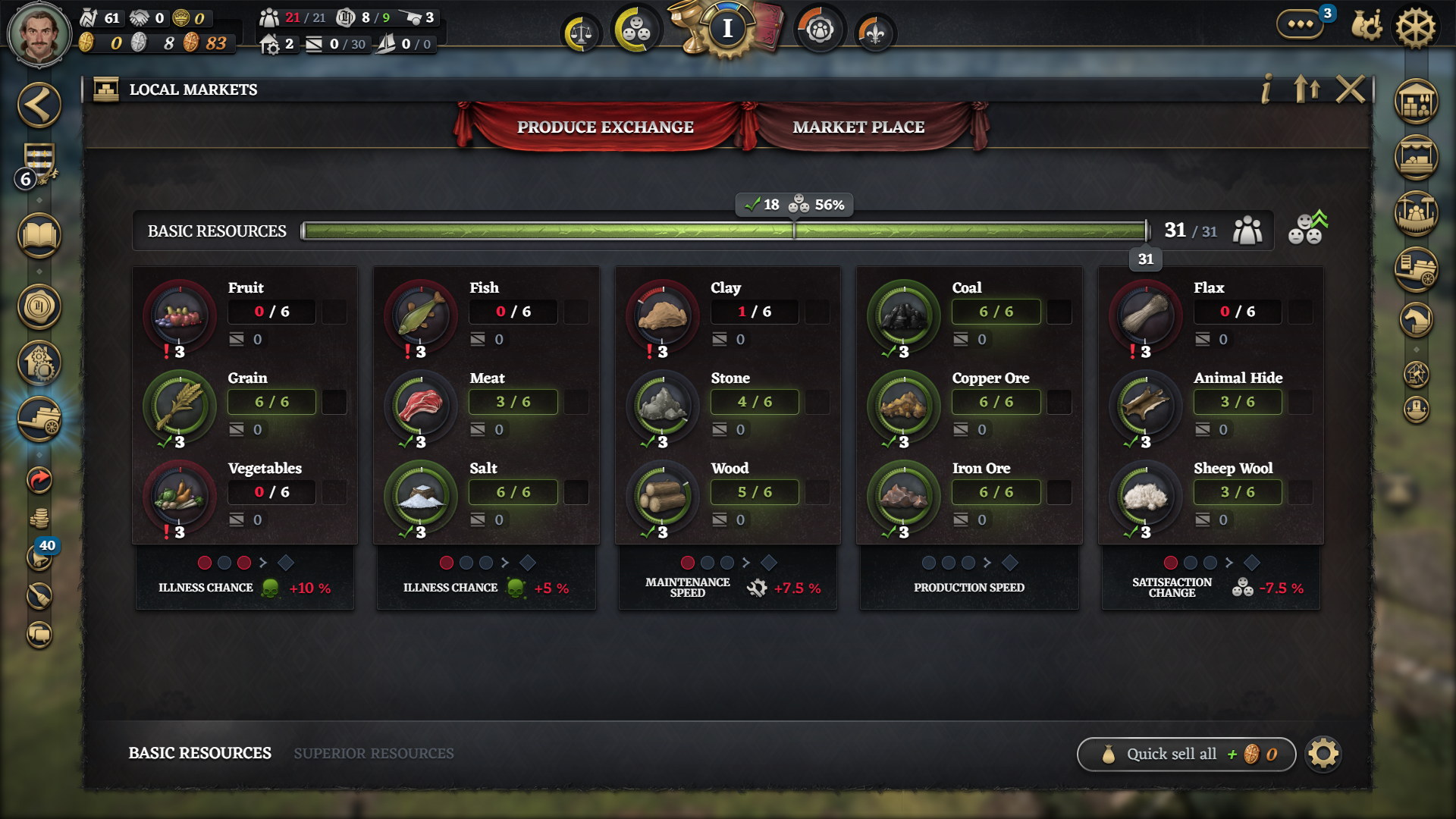
Find Produce Exchange under Local Markets. Official October 19 illustration; exact build unknown. Open full size to read the rows. View full size ↗ Open the good’s sell window. Check Available and where the stock is held: the recorded dialog permits goods from the Warehouse or convoys at home. Read current need separately from available stock.
Change the quantity before confirming. Compare the total preview at the quantity you intend to sell; do not multiply the whole stack by the first price band.
One recorded Wood sale — a worked example, not a price list At this moment What the screen showed Available stock 11 Wood Full-stack quote 2 × 25 + 4 × 13 + 5 × 5 = 127 Selected amount 2 Wood Preview for that amount 50 After Sell 9 Wood left; fulfilled need changed from 2/8 to 4/8 Watch the recorded Wood quote at 02:25 ↗The 02:25–02:40 segment shows the quantity change and market feedback. Recording build unidentified.
Press Sell after checking the selected quantity and total. Back in the market, confirm stock fell by the amount sold and inspect the need and group-effect feedback. Reopen the quote before another sale: the next units may fall into a lower price band.
Check the result
The recorded sale reduced Wood from 11 to 9 after selling 2; fulfilled need moved from 2/8 to 4/8. For your sale, check the corresponding before/after stock and market feedback instead of expecting these exact numbers.
If the result differs
If less stock is available than expected, check that it is in the Warehouse or a convoy at home. If payout seems lower than the top price, reduce the selected quantity and inspect the price bands. If a group still shows a penalty, inspect its other goods rather than selling more of just one resource.