Task guide
How to hire settlers at the Guild House
In Guild House HIRE, choose a candidate, review the current cost and wage from the next payroll, then confirm. If worker slots are full, use the top-right double arrows to inspect the next Manor Lord’s Privileges offer before deciding to Expand.
Updated 2026-10-29 · October 5 developer demo / October 26 upgrade recording (builds unknown)
Hire through the Guild House
In your settlement view, use the Guildhouse entry in the right-side menu to open the Guild House, then select HIRE. Check the used/max worker count before choosing a candidate; the pictured 8/9 is one demo state, not a permanent cap.
Select a candidate in HIRE. If a worker slot is open and Hire is enabled, press Hire to review the offer; this first click does not employ the person yet.
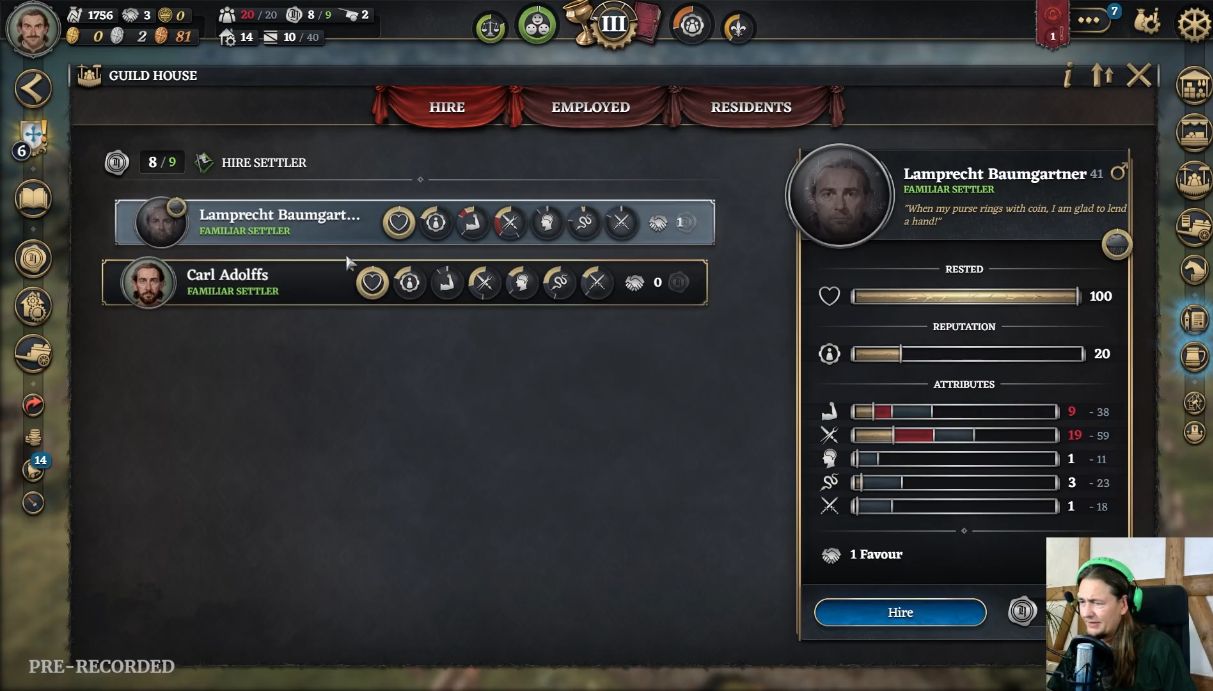
Select a candidate and check a free worker slot. October 5 developer demo; exact build unknown. View full size ↗ Read candidate and Hire control at original size
Scroll sideways to read the original UI detail.
Read the HIRE SETTLER confirmation. For Lamprecht in this recording, Hire shows 18 coins now and the text says a continuing 18-coin wage starts at the next payroll. Choose Cancel if either cost does not fit your budget. These are one candidate’s terms, not a universal price or two immediate charges.
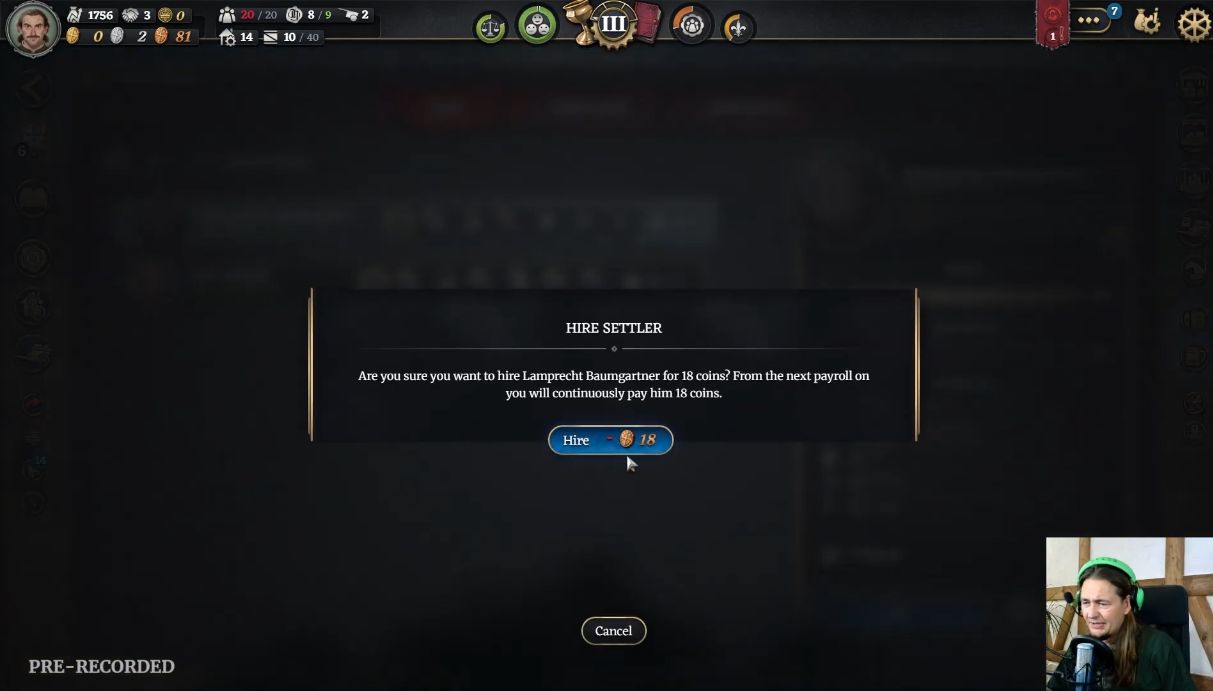
Read the displayed current cost and wage before confirming. These 18-coin figures are one candidate example. View full size ↗ Read candidate cost and wage confirmation at original size
Scroll sideways to read the original UI detail.
If the terms work for you, confirm Hire. In the example, Lamprecht leaves HIRE and the used count rises from 8/9 to 9/9. Open EMPLOYED SETTLERS to check the recruited name.
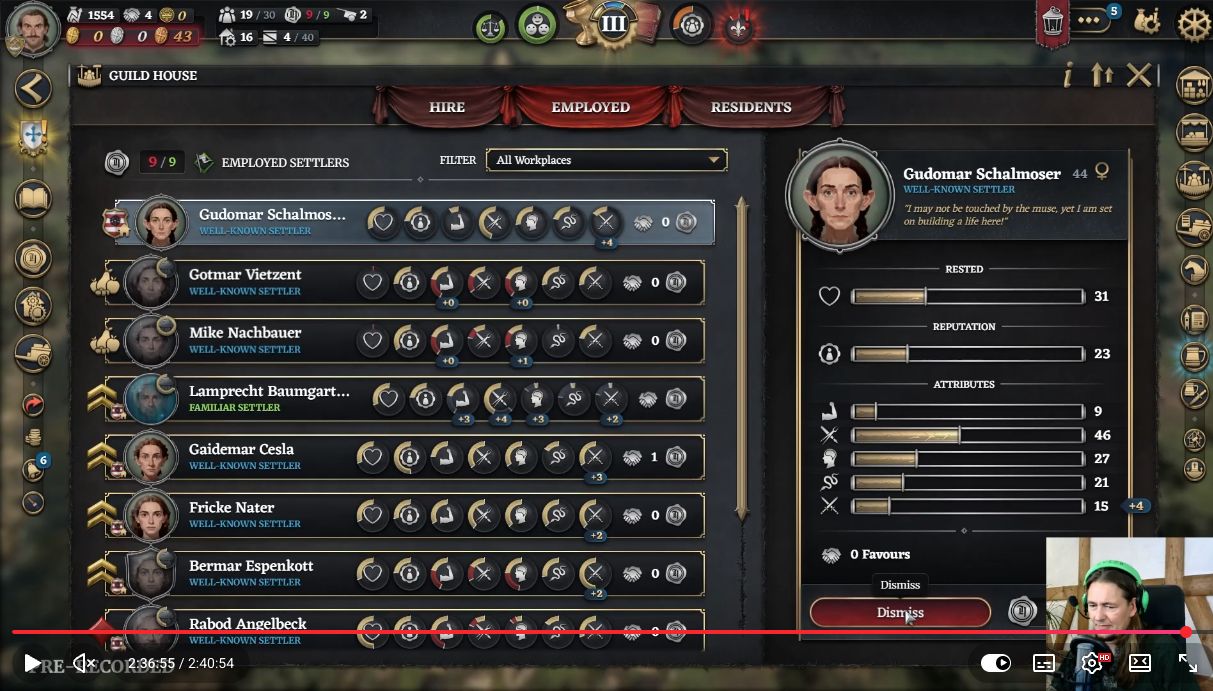
Find the hired settler in EMPLOYED SETTLERS. The list is shown later in the same recording. View full size ↗ Read Employed Settlers list at original size
Scroll sideways to read the original UI detail.
Check the result
Find the chosen name in EMPLOYED SETTLERS. Lamprecht and Mike appear in the recorded list; a button click alone is not the completion signal.
When worker slots are full
If Hire is grey at the current worker limit, open Guild House Upgrades with the top-right double arrows and inspect Manor Lord’s Privileges. The October 26 UnstableVoltage recording shows only an upgrade offer preview and Cancel; its game build and branch are unknown.
In the Guild House, click the double up arrows at the upper right. Its tooltip reads “Go to the Guild House Upgrades.” The recorded 13/13 count is a sample, not a fixed limit.
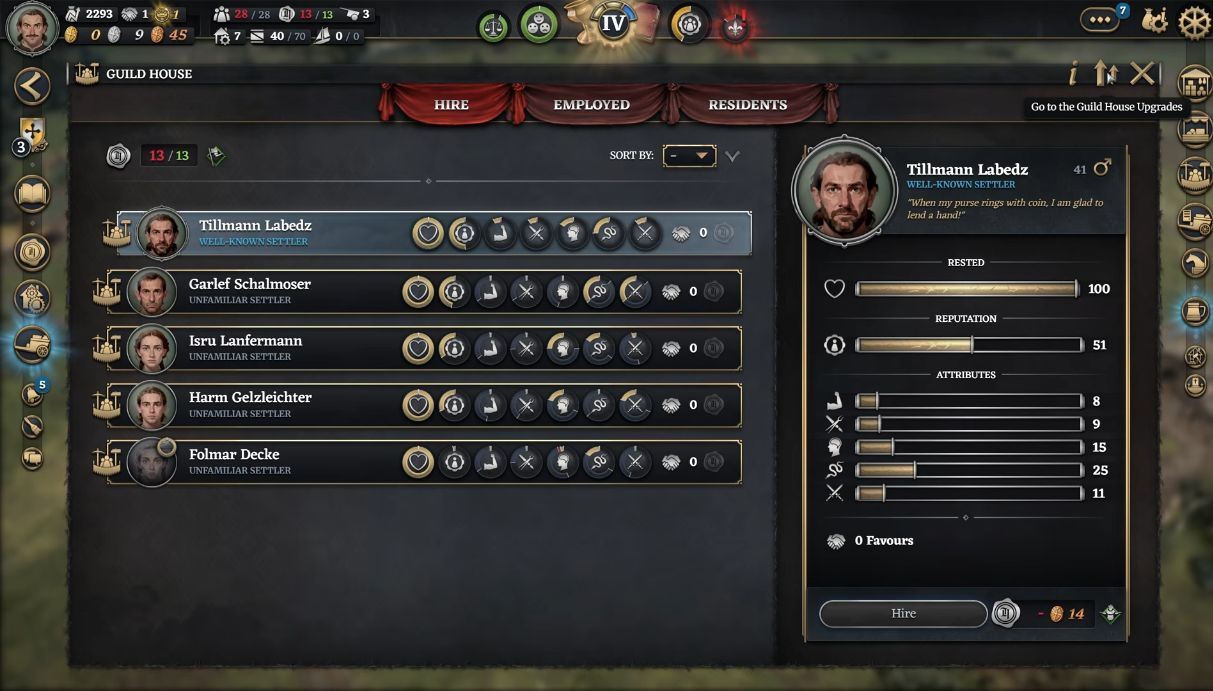
The double arrows open Guild House Upgrades. October 26 recording; game build unknown. View full size ↗ Read Guild House upgrade button at original size
Scroll sideways to read the original UI detail.
Inspect the next available Manor Lord’s Privileges offer: Residential Building requirement, Silver price beside Expand, extra worker slots and the added wage per employee at each payroll. In this Privileges III preview, 4/4 homes meets the requirement, Expand quotes 6 Silver, the text promises 13→15 workers and another 3 coins per employee per payroll (+6 total in this example). These are sample terms, not all tier prices.
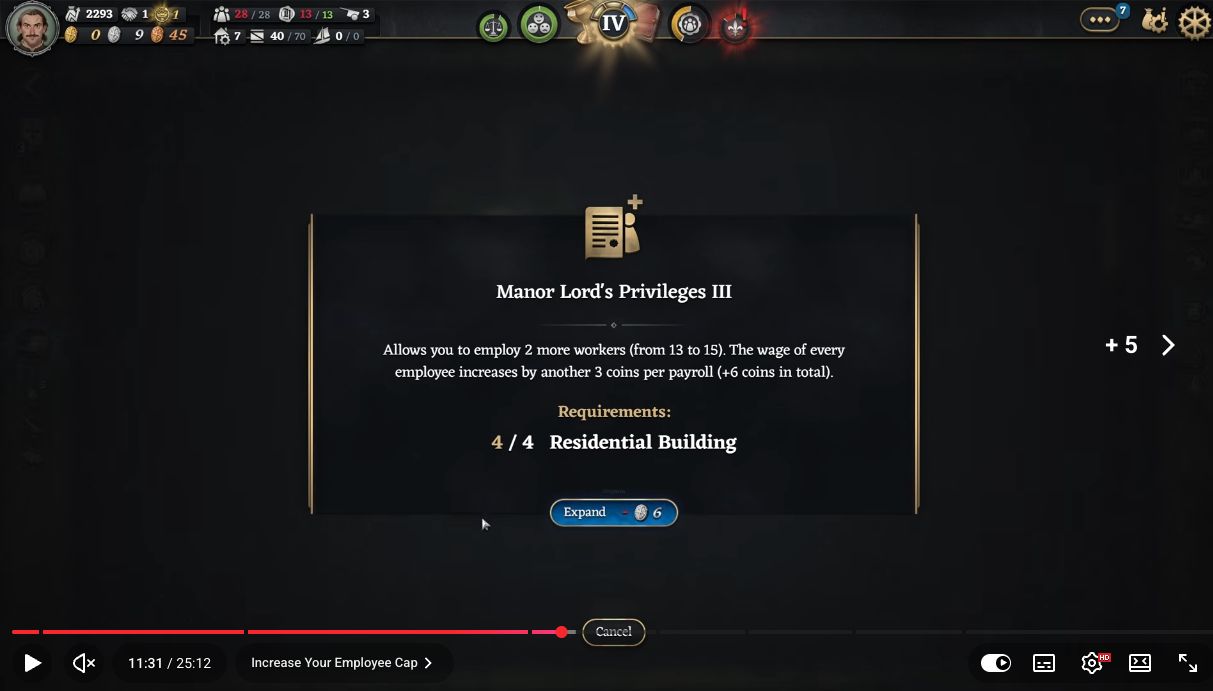
Read requirements, price, slots and payroll increase before deciding. Same October 26 recording, build unknown. View full size ↗ Read Manor Lord’s Privileges quote at original size
Scroll sideways to read the original UI detail.
If Expand is grey, check both the housing requirement and your available Silver. A separate Privileges IV preview shows 4/6 homes and a 12-Silver offer while the HUD has 9 Silver; that frame does not isolate one cause of the grey button. Compare your own current offer before spending.
Watch the upgrade entry at 11:21 ↗Watch the III offer at 11:31 ↗